
Jotform - Form, Sign & Survey
Jotform IncBusiness
4.62.26K Reviews
- Version
- 3.3.11
- Installs
- 1.00M
- Age Rating
- Everyone
Screenshots

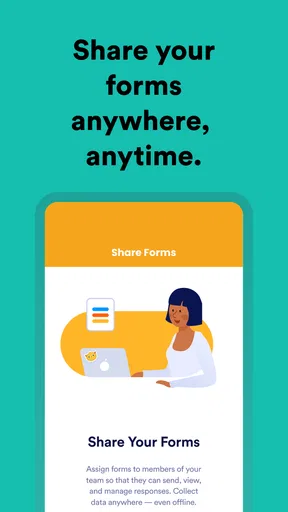
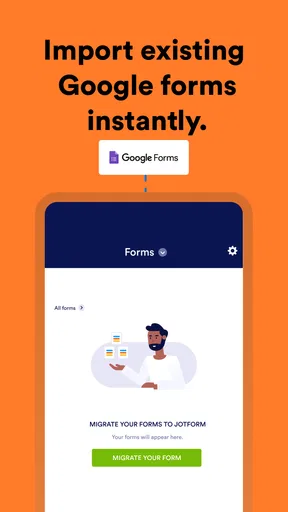
Our Review of Jotform - Form, Sign & Survey
 Analysis by Appyee
For a shared household task, a simple form can be more useful than a long group chat. I can picture using Jotform - Form, Sign & Survey to collect everyone’s preferred times for a repair visit, note who can be home, and keep the answers together instead of hunting through messages. It is a business app, but that kind of structured collection can also help with practical coordination, provided the household agrees on who is responsible for setting it up and viewing the responses.
One device, several people
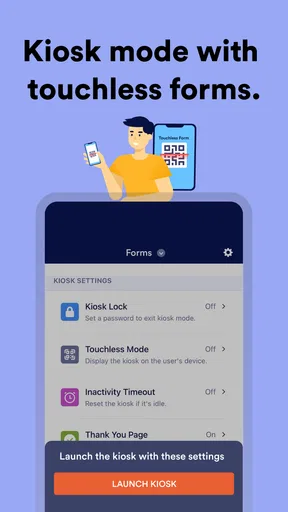
A shared phone or tablet can make it convenient to fill in a form together, especially when a household is planning an event or gathering information from visitors. The app’s kiosk mode is relevant here: it can support collecting responses from people using a device in a shared setting. I would treat that as a focused check-in or response station, not as a general-purpose family account or a way to manage everyone’s access. The person organizing the form should decide what information is appropriate to collect and make sure the device is ready for the next respondent.
For example, if several people are choosing dates for a shared meal, a short form can replace a stream of replies that are difficult to compare. I’d keep the questions limited to what is needed—availability and perhaps a preference—rather than asking people to enter personal details just because the form allows it. That small bit of restraint makes the result easier to use and less awkward for everyone completing it.
Set clear account boundaries
Before putting the app on a family device, I’d decide whether it should be used under one organizer’s account or by separate people for separate work. A shared device does not automatically mean everyone should share a login or have access to the same submissions. Forms can contain contact details, feedback, or signatures, so the person who owns the workflow should be clear about who can create it and who will handle the collected information.
This distinction matters most when a household mixes personal errands with paid work. A small business owner might use the app for customer intake and also be tempted to use the same device for school or neighborhood coordination. I’d keep those tasks visibly separate—different forms, clear names, and a deliberate handoff when another person borrows the device. That reduces accidental confusion without assuming the app provides household profiles or parental controls.
Coordinate without overcomplicating
Jotform is most useful when the group needs answers in a consistent format. A chat is faster for a one-off question, but replies can be scattered, incomplete, or hard to tally. A form asks each person the same thing, which is helpful when someone must make a decision from the responses. On the other hand, if the group is already discussing details back and forth, a form may feel like an extra step. I’d use it when collecting comparable answers matters more than keeping the conversation casual.
A practical workflow is to draft the questions around the decision you need to make, test the form yourself, and then share it with the group. For a community clean-up, for instance, the organizer could ask which time slot a volunteer can attend and whether they can bring a particular item. Keeping those questions separate makes the responses easier to scan. If the plan changes, it is also worth telling people directly rather than expecting them to revisit a form and notice an update.
For signatures, I’d reserve the signing workflow for documents where a signature is genuinely needed, such as a work agreement or permission document. It is convenient to send a document for an electronic signature and check its progress, but convenience is not a substitute for making sure every signer understands what they are agreeing to. If a household needs only an informal acknowledgment, a message may be simpler and more proportionate.
Age, trust, and sensitive details
The app has an Everyone content rating, but that should not be mistaken for a recommendation that children manage business forms or handle other people’s data. I would have an adult set up forms involving contact information, signatures, or sensitive household matters, then explain what the form is collecting and who will see the answers. For a child’s simple scheduling input, an adult can keep the questions minimal and help with the process as needed.
Trust also depends on how a form is presented. When asking neighbors, guests, or relatives to respond, I’d state the purpose plainly and avoid collecting information that is not needed for that purpose. A branded, polished form may look professional, but it does not by itself tell respondents how their answers will be used. Clear wording from the organizer is what makes a request feel understandable rather than intrusive.
Who will find it worthwhile?
I’d recommend Jotform to a small business owner, event organizer, teacher, or volunteer coordinator who regularly needs structured responses and wants forms, surveys, and electronic signatures in one app. It has been developed by Jotform Inc, and its business focus is reflected in the mix of tasks it brings together. The app is free to start, while in-app purchases range from $39.99 to $999.99 per item, so I’d check what a particular workflow requires before relying on paid capabilities.
It has an average rating of 4.6 from around 28,000 ratings, with more than 2,000 written reviews and over 1 million installs. Those figures suggest it is widely used, but they do not tell me whether its tools suit a particular household or organization. I’d judge it by whether the forms I need are easy to build and whether the resulting workflow is worth maintaining.
Someone who only needs to ask friends a quick question may be happier with a group chat or a basic poll. Someone who needs a carefully formatted intake process, repeatable surveys, or signatures is more likely to appreciate a dedicated form tool. The trade-off is that the added flexibility asks the organizer to make decisions about form design, sharing, and response handling. If all you want is a lightweight to-do list for the family, this is probably more tool than you need.
Getting Started with Jotform
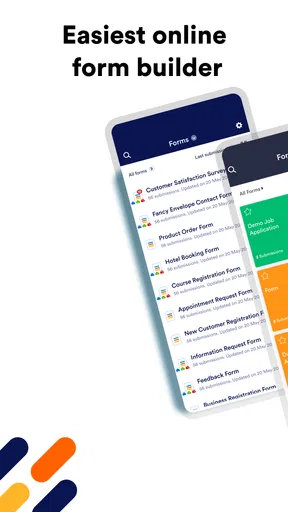
First off, downloading and setting up Jotform is as easy as pie. Once you’ve got the app on your device, you’re greeted with a neat and intuitive interface. I appreciate how everything is laid out clearly, making it super easy to navigate even if you’re not tech-savvy. There’s a brief tutorial to get you acquainted, but honestly, you’ll find it pretty straightforward.
Creating Forms Made Easy
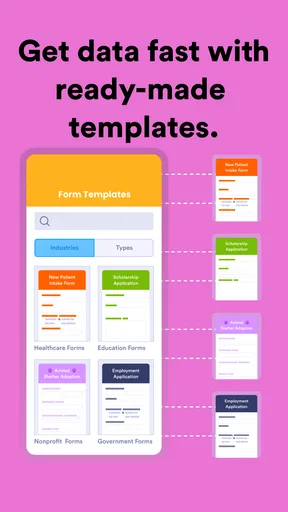
Now, let’s dive into the core feature – creating forms. Whether you need a feedback form, a survey, or a registration form, Jotform has got templates galore. I was particularly impressed by the diversity of these templates. You can choose from a wide array of pre-designed layouts or start from scratch if you’re feeling creative. Plus, the drag-and-drop functionality is smooth, making the process almost therapeutic.
What really stands out is the customization. You can tweak the colors, fonts, and even add your own branding. It’s like giving your form a personal touch, which I think is a fantastic feature, especially for businesses looking to maintain brand consistency.
Simplifying Signatures
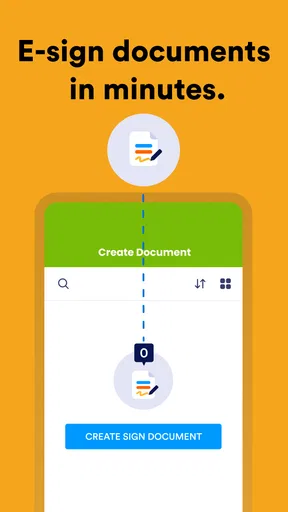
Moving on to the signing feature, it’s a game-changer. I’ve used other apps for collecting signatures before, but Jotform’s ease of use is unparalleled. You can send out documents for e-signature with just a few taps. Recipients can sign directly on their device, and it’s legally binding, which is a huge plus for anyone dealing with contracts or agreements.
There’s also a handy feature that allows you to track the status of your documents. This means no more guessing if someone has signed or not. You get real-time updates, which is a lifesaver for those tight deadlines.
Surveying Like a Pro
And if you’re into gathering opinions, the survey feature will be your new best friend. Designing a survey is as simple as creating a form. I found the analytics tools particularly useful, offering insights into response trends and data visualization. It’s perfect for those who need to analyze feedback quickly and efficiently.
One thing I noticed was the speed – the app processes data swiftly, so you’re not left waiting around for ages. Whether you’re collecting a handful of responses or hundreds, Jotform handles it with ease.
Integration and Accessibility
Another aspect worth mentioning is how well Jotform integrates with other platforms. Whether it’s Google Drive, Dropbox, or Slack, linking your forms and surveys to these platforms is a breeze. This means you can automate parts of your workflow, which, let’s be honest, is a blessing in disguise for busy bees like me.
Plus, the app is available on both Android and iOS, ensuring accessibility for everyone. Whether you’re on the go with your phone or working from your tablet, Jotform has got your back. The current version is 2.13.2, and it requires Android 7.0 or later. For someone choosing a shared household device, I’d check that the device meets that minimum before planning to use it as a response station.
Choosing the right workflow
One useful habit is to treat the form as part of a small process, not as the whole process. Give it a clear name, make the first question explain the task, and decide who will review the answers afterward. If responses need to guide a time-sensitive decision, tell people when you need them by and then communicate the outcome separately. The form collects information; a person still needs to make sense of it and close the loop.
For recurring work, I’d also test a form from the respondent’s point of view before sharing it widely. A question that seems obvious to its creator may be ambiguous to a customer or relative. A quick test can expose unclear wording, unnecessary fields, or a sequence that feels longer than it needs to be. This is especially worthwhile on a phone, where people may be answering between other tasks.
There is a practical trade-off between customization and speed. A branded form can make a business process feel consistent, but spending too long adjusting colors and layout is not useful if the questions themselves are confusing. I’d prioritize plain language and a short path to submission, then polish the appearance if it helps respondents recognize the organization behind the request.
Where I would draw the line
Although the app brings several kinds of work together, I wouldn’t automatically replace every specialized tool with it. If a team already relies on a dedicated survey platform for a complex research process, or a document service for a specific signing workflow, switching only to reduce the number of apps could create more friction than it removes. Jotform makes sense when its combined form, survey, and signing functions fit the actual routine—not simply because having one app sounds tidy.
I’d also avoid using a form for a conversation that needs empathy or negotiation. A survey can show which option people prefer, but it cannot resolve a disagreement about what is fair. In a household, that distinction matters: use the tool to collect practical details, then talk through decisions that affect people differently.
Final Thoughts
Wrapping up, Jotform is a versatile tool that caters to a wide range of needs. Whether you’re a business professional, an educator, or just someone who loves organization, this app is a must-have. It’s user-friendly, robust, and packed with features that make data collection and signing documents a breeze.
So, if you’re looking for an app that combines functionality with ease of use, Jotform - Form, Sign & Survey should be on your radar. Give it a try and see how it can streamline your tasks. You won’t be disappointed!
For a household, my recommendation is more measured: it can be a useful shared response tool when one person takes responsibility for the form and the group has a clear reason to use it. I would not install it expecting family-account management, nor would I ask everyone to move ordinary conversations into forms. The strongest fit is a recurring or organized task where consistent answers save time; for an occasional informal check-in, simpler options remain easier.
Verdict
Strengths of Jotform - Form, Sign & Survey
- User-friendly interface is intuitive.
- Extensive template library available.
- Supports multiple integrations seamlessly.
- Responsive customer support team.
- Offers offline form creation.
Limitations of Jotform - Form, Sign & Survey
- Limited features in free version.
- Occasional syncing issues reported.
- Form customization options are basic.
- Advanced analytics require upgrade.
- Mobile app lacks some desktop features.
Similar Picks in This Category
View All
LinkedIn: Community & Network
LinkedIn3.8

Zoom Workplace
zoom.com4.1

Microsoft Teams
Microsoft Corporation4.6

Meta Business Suite
Meta Platforms, Inc.4.6

Webex Meetings
Cisco Systems, Inc.4.5

TeamViewer Remote Control
TeamViewer4.4
Frequently Asked Questions
What features does Jotform offer for creating forms and surveys?
Jotform provides a comprehensive suite of tools for creating customizable forms and surveys. Users can choose from a wide variety of templates, integrate with numerous platforms, and utilize advanced features like conditional logic, payment processing, and data analysis. The app also supports e-signatures, making it ideal for businesses and professionals.
Is Jotform suitable for both beginners and advanced users?
Yes, Jotform is designed to cater to both beginners and advanced users. Its intuitive drag-and-drop interface allows newcomers to easily create forms without any coding knowledge. Meanwhile, advanced users can take advantage of custom scripts, extensive integrations, and detailed analytics to fine-tune their forms and surveys.
How secure is the data collected through Jotform?
Jotform takes data security seriously, employing industry-standard encryption to protect user information. The platform is compliant with major data protection regulations, including GDPR and HIPAA, ensuring that user data is handled with the highest level of confidentiality and security. Users can also enable additional security features like password protection and form encryption.
Can Jotform be integrated with other applications?
Absolutely. Jotform offers seamless integration with a wide range of third-party applications such as Google Drive, Dropbox, PayPal, and Salesforce. This allows users to automate workflow processes, sync data across platforms, and enhance productivity by connecting their forms to the tools they already use.
What are the pricing options available for Jotform?
Jotform offers a variety of pricing plans to accommodate different needs. There is a free plan with basic features suitable for personal use. Paid plans, which include Bronze, Silver, and Gold tiers, offer additional features like more form submissions, increased storage, and premium support. Custom enterprise solutions are also available for larger organizations.
